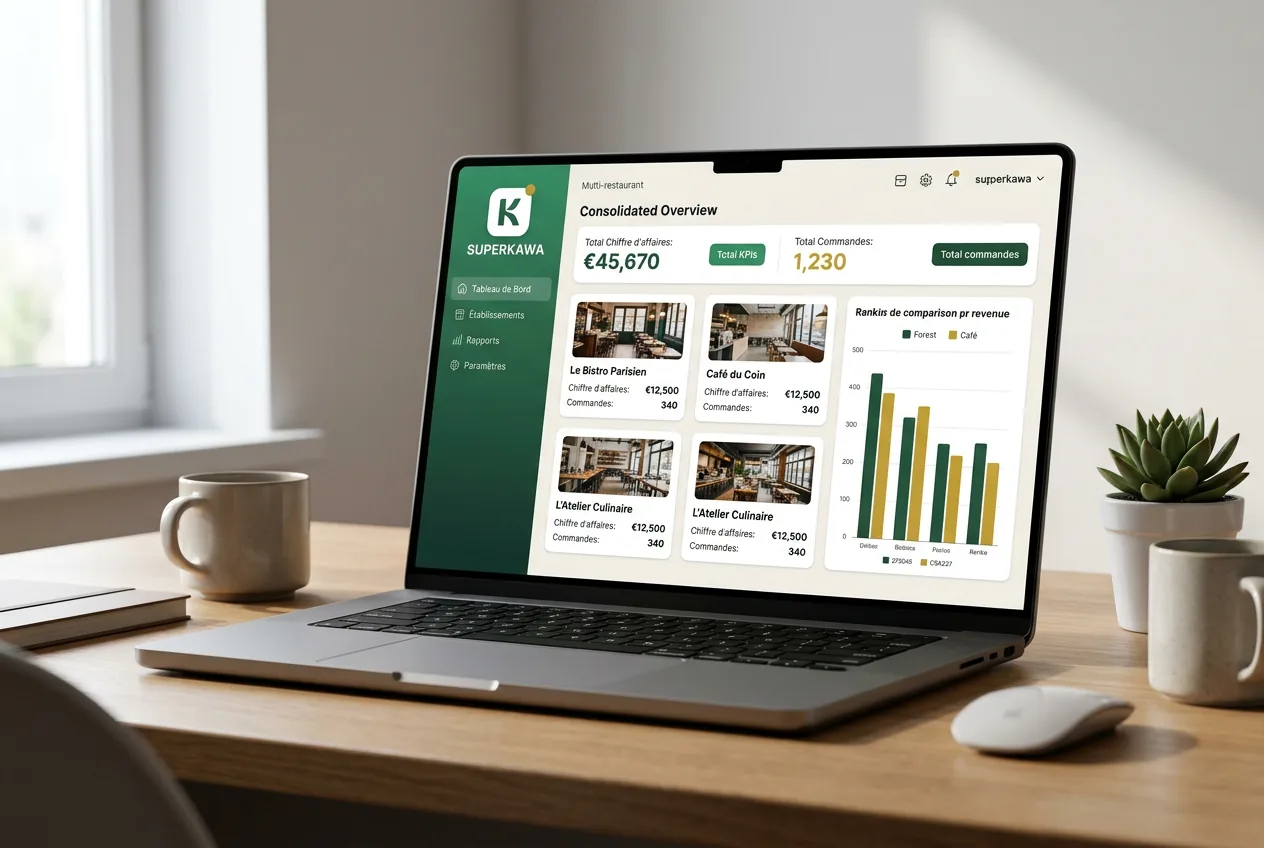
For most people, a "restaurant app" means the application they tap to order a burger for delivery. For a restaurant owner, it means something far more strategic: the platform that runs the business. And in 2026, that platform does much more than ring up a sale.
A modern restaurant app connects the front counter, the kitchen and the back office. It takes orders, processes payments, tracks inventory, calculates margins, rewards loyal customers and gives owners a real-time view of performance — whether they are standing behind the counter in Los Angeles or checking their phone in Bangkok.
This guide is written for operators, not diners. It explains what a restaurant app actually is, which features matter most, how the needs of an international, multi-location business differ from a single café, and what to verify before you commit to any platform.
In this guide you'll learn
- •What a restaurant app really is — and how it differs from a consumer ordering app
- •The core POS and ordering features every operator needs
- •How inventory, recipes and food cost turn an app into a management tool
- •What changes for multi-location and international operations
- •How to compare free and paid apps objectively
- •A practical checklist to use before you decide
In this guide
What is a restaurant app?
Quick answer
A restaurant app is an application used to operate a food business. Depending on the product, it ranges from a simple consumer ordering app to a complete management platform that combines POS, inventory, loyalty and reporting in one place.
The phrase covers four very different things. Knowing which one you are evaluating is the first step to a good decision.
The consumer ordering app
This is the customer-facing app: browse the menu, order for pickup or delivery, sometimes pay. It supports the customer relationship but does not manage the till, the stock or the accounts of the business itself.
The restaurant POS app
A restaurant POS software app processes orders, manages the product catalogue, prints tickets and produces daily reports. It is the operational core of the business, but on its own it is focused on the transaction.
The restaurant management app
This adds a management layer on top of the POS: inventory, recipes, margins, customers and dashboards. This is what most operators now mean by "restaurant app" — an application to run the business, not just take payments.
The all-in-one platform
At the top, an all-in-one restaurant management software unites everything in one connected system: POS, ordering, inventory, recipes, loyalty, customer wallet and multi-location reporting. This is where operators who want to stop juggling disconnected tools are heading. SUPERKAWA OS sits in this category.
Key takeaway: The best restaurant app is not the one with the most features — it is the one whose scope matches how you actually operate.
Core POS and ordering features
Whatever the scope, the transactional core has to be excellent. These are the features that make a daily difference.
Fast, intuitive order entry
Clean category navigation, quick-access buttons for high-volume items, simple modifiers, and a flow a new hire can master in under an hour. In a busy service, an app that requires too many taps slows the line and multiplies errors.
Flexible payments
Cash, card via terminal and contactless are the baseline. A growing share of operators add QR code payment and a customer wallet to accelerate checkout and encourage repeat visits.
Multi-channel ordering
Dine-in, counter, takeaway, and depending on the platform click & collect or delivery. Every order should flow automatically into the POS and the sales history, with no double entry.
Daily reporting
One-click daily summaries, secured and archived, broken down by payment method and tax rate. Reliable reporting is the foundation of a calm relationship with your accountant and, where required, local fiscal compliance.
Menu, inventory and recipe management
This is where a simple POS becomes a genuine management app. Centralising the menu and stock removes the parallel spreadsheets that quietly drain time and accuracy.
- Menu and catalogue — create, edit and disable products quickly, organised by category.
- Inventory — track quantities and get alerts on items running low.
- Ingredients — a base of ingredients with their unit costs.
- Recipes — each dish linked to its ingredients, enabling automatic stock depletion on every sale.
- Stocktakes — regular counts to reconcile theoretical and actual stock.
Food cost and margin tracking
For operators who want precise control, linking each menu item to its ingredients and unit costs allows automatic food cost calculation per dish. Gross margin becomes a measured figure rather than an estimate. In a low-margin industry exposed to commodity price swings, this turns margin management from intuition into a discipline — and it works best when it lives in the same app as the POS, not in a separate tool. If your margins already look thin despite steady traffic, our guide on why a restaurant isn't profitable breaks down the areas most likely to be the cause.
Loyalty, customer wallet and QR experiences
A restaurant app should not only take money — it should help bring customers back. Three capabilities matter most.
Native loyalty program
A loyalty program built into the app awards points automatically at every transaction, with no extra step for staff. That is the difference between a program that runs consistently and one that gets skipped when the queue is long.
Customer wallet
A digital wallet linked to the customer's profile speeds up payment, encourages top-ups and strengthens attachment to the venue. Learn more about the customer wallet and how it works.
QR experiences
QR codes serve customer identification, payment and loyalty sign-up alike. Well integrated, they reduce friction and grow your customer base without extra hardware.
Multi-location and international operations
The needs of a single café and a multi-country group are not the same. If you operate — or plan to operate — across several sites and markets, these capabilities become decisive.
- Multiple stores — separate data per location from a single owner account, with cross-location comparison.
- Staff access — role-based permissions (cashier, manager, owner) that scale with the team.
- Currencies — support for multiple currencies when you trade across borders, from Cape Town to Dubai.
- Languages — an interface your teams can use in their own language.
- Local market configuration — payment methods, taxes and fiscal features that differ by country and must be verified locally.
Choosing a platform that handles multi-location from day one avoids a costly migration the moment you open a second site — whether that site is across town or across an ocean.
How to choose the right restaurant app
Once your needs are clear, evaluate against concrete criteria. Here are the main ones, with the question to ask for each.
| Criterion | What to verify | Priority | Why it matters |
|---|---|---|---|
| Ease of use | Can a new employee operate the app in under an hour? | Essential | The app is used all day, every day — friction compounds |
| Right feature scope | Does it cover your real needs without useless complexity? | Essential | Paying for unused modules is a hidden cost |
| POS & payments | Cash, card, contactless and QR natively supported? | Essential | Checkout friction leaves a poor last impression |
| Data portability | Can you export products, customers and history anytime? | Essential | Your data belongs to your business, not your vendor |
| Native loyalty | Is loyalty built in, not a third-party add-on? | Important | External loyalty tools are skipped under pressure |
| Owner dashboard | Real-time remote access to sales and performance? | Important | Better pricing, staffing and menu decisions |
| Scalability | Does it grow with your business and new locations? | Important | Avoids a costly platform migration later |
| Support | Has support responsiveness been tested before signing? | Important | An outage during service is not a next-day problem |
| Inventory & recipes | Food cost and automatic stock depletion available? | Depends on needs | Turns margin control into a measurable discipline |
| Multi-location | Multiple outlets from one account? | Depends on needs | Essential for growth across sites |
| Multi-currency & language | Are several currencies and languages supported? | Depends on markets | Critical for international operations |
| Local market fit | Is the platform configured for your country? | Essential | Payments and compliance differ by country |
Two habits protect any decision: insist on the ability to export all your data at any time, and confirm the platform is configured for your country. Security, the autonomy the app leaves you, and the quality of support weigh as much as the feature list.
Free versus paid restaurant apps
Free restaurant apps exist and can help you start, but they often show their limits: capped features, data that is hard to export, limited support, or monetisation through payment commissions. Without dismissing them, it helps to know the cost categories of a professional platform so you can compare objectively:
- Subscription — usually monthly, based on features and the number of users or locations.
- Hardware — tablet, receipt printer, card terminal, optional kitchen printer.
- Payments — processing costs that depend on your provider and market.
- Add-ons — advanced modules (inventory, recipes, multi-location) sometimes billed separately.
- Onboarding — initial setup and configuration.
- Support and training — help for your team over time.
The right question is not "what does the subscription cost?" but "what is the real total cost, relative to the value the app delivers every day?"
Checklist before making a decision
Scope and features
- The type of app (POS, management, platform) matches your real need
- Order entry is fast enough for a new hire to master in an hour
- Cash, card, contactless and QR payments are natively supported
- Ordering channels match your service model
Management
- Inventory, recipes and food cost available if you need them
- Native loyalty program and customer wallet
- Owner dashboard with real-time remote access
- Multi-location, multi-currency and multi-language support if relevant
Security and commitment
- Full data export available at any time
- Platform configured for your country's market and rules
- Clear termination terms and a free trial available
- Support tested and hardware compatibility verified before signing
Frequently asked questions
What is a restaurant app?
A restaurant app is an application used to run a food business — not just an app customers use to order. Modern restaurant apps combine point of sale, order taking, menu management, inventory, loyalty and reporting in one platform accessible from a tablet, phone or computer. The term covers everything from a simple consumer ordering app to a complete restaurant management platform.
What is the difference between a restaurant app and a POS system?
A POS (point of sale) system handles the transaction layer: order entry, payments and daily reports. A restaurant app is usually broader — it can include the POS plus inventory, recipe costing, customer loyalty, a digital wallet and multi-location dashboards. In practice the line has blurred, and many restaurant apps now include a full POS inside a wider management platform.
Can a restaurant app manage inventory?
Yes, most restaurant management apps let you track inventory, and some automatically deplete stock as items sell when recipes are configured. The depth varies significantly between products, so if inventory, ingredients and food cost matter to you, verify these features specifically before choosing.
Can one app manage multiple restaurant locations?
A good restaurant app supports multi-location management from a single owner account, with separate data per site, cross-location performance comparison and role-based staff access. If you operate across different countries — say Paris and Dubai — also check support for multiple currencies and languages, and configuration for each local market.
How much does a restaurant management app cost?
The dominant model is a monthly subscription, priced according to the features included and the number of users or locations. On top of the subscription you should budget for hardware (tablet, printer, card terminal), payment processing costs and any optional modules. Always compare the real total cost of ownership rather than the headline price.
Can a restaurant app include loyalty and customer wallets?
Yes — and it should. A loyalty program and digital wallet built natively into the app reward customers automatically at every transaction, with no extra step for your staff. An external loyalty tool that is disconnected from the POS is rarely used consistently during busy service.
What should I look for in a restaurant POS app?
The non-negotiables are the same worldwide: fast and intuitive order entry, flexible payments including contactless, reliable daily reporting, complete data portability and a native loyalty program. Recipe management, stock tracking and multi-location support depend on your specific operation and growth plans.
Does a restaurant app work across different countries?
It depends on the platform. Some restaurant apps support multiple currencies, languages and local market configurations, which matters if you operate in cities as different as Sydney, Los Angeles, Bangkok or Cape Town. Payment methods and tax or fiscal features are not available everywhere identically, so always confirm what is supported in your specific country before committing.
Conclusion
Choosing a restaurant app is a decision about how your business will operate every day for years. The most complete platform is not automatically the right one: the right one matches your needs precisely, your team adopts without friction, and it gives you a clear view of performance — across one location or many, in one country or several.
Whether you need a reliable POS first, tight control of your margins, or a full platform to run several sites internationally, keep returning to the same criteria: simplicity, real usefulness, portable data and quality support.
SUPERKAWA OS brings these capabilities together in a single platform built for independent restaurants, coffee shops, bakeries and quick-service venues: multi-currency POS, native digital wallet, automatic loyalty, secured reporting, recipe costing and real-time dashboards. It comes with a 14-day free trial, no credit card required. See our pricing plans and the features in detail.
Written by SUPERKAWA
SUPERKAWA builds POS, loyalty and management apps for independent restaurants, coffee shops, bakeries and quick-service venues.
Quick FAQ
Related reading
Take action
The restaurant app built to run your business
POS, ordering, inventory, loyalty and wallet in one platform — across one location or many. 14-day free trial.
Discover SUPERKAWA OS Start free trial