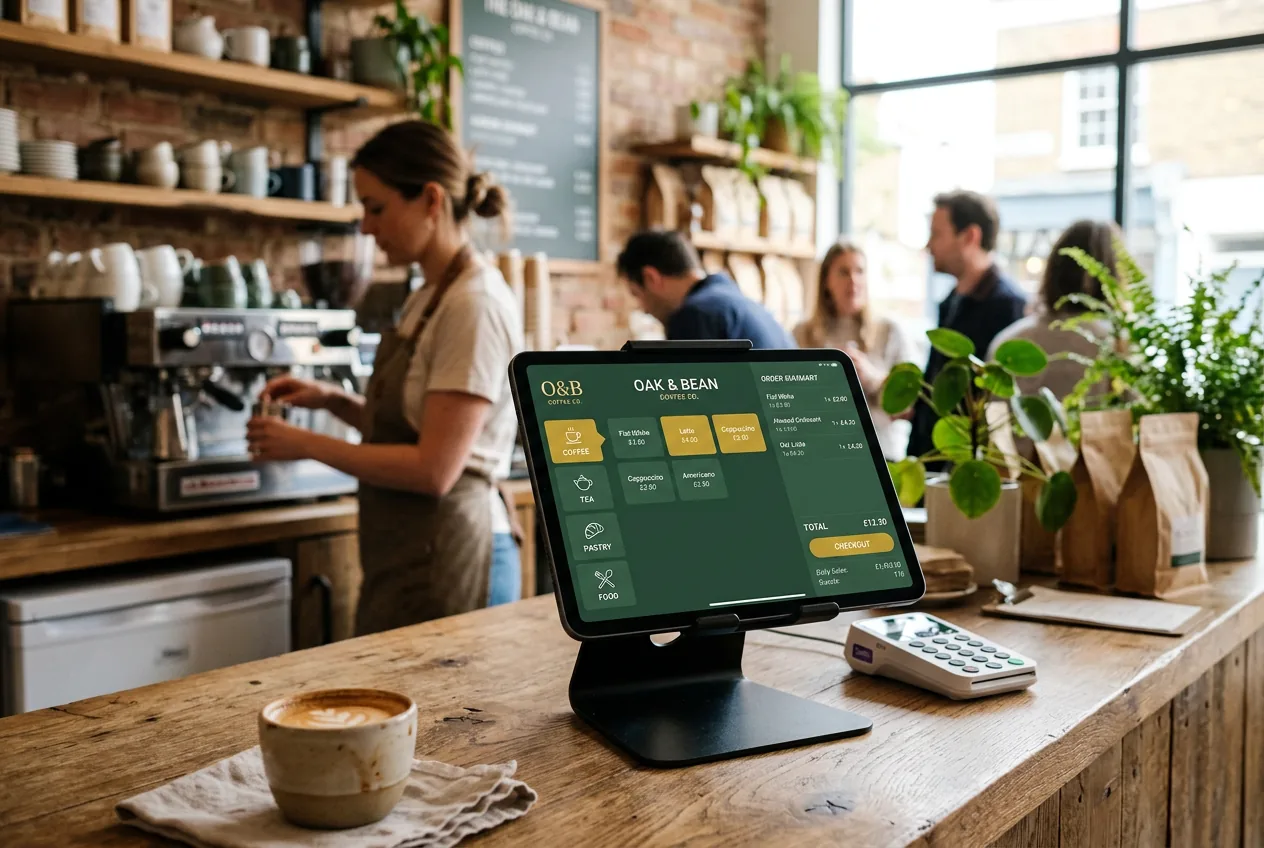
Choosing the right POS software is one of the most consequential decisions an independent restaurant owner can make. It affects every transaction, every shift, every report, and every customer interaction — day after day, service after service.
The market has never offered more choices. Cloud-native platforms, tablet-based systems, SaaS subscriptions, and all-in-one management tools have replaced the clunky terminals of a decade ago. But more choice also means more complexity. A system that works brilliantly for a multi-location fast food chain may be entirely wrong for an independent coffee shop or family-run restaurant.
This guide cuts through the noise. It explains what restaurant POS software actually does, what features matter most for independent operators, how to evaluate your options, and what questions to ask before signing any contract.
In this guide you'll learn
- •What restaurant POS software is — and how it has evolved beyond simple transaction processing
- •Why it matters for independent operators — the real cost of a poor POS choice
- •Which features are non-negotiable — and which depend on your specific operation
- •How to compare solutions objectively — criteria, questions, and red flags
- •Common mistakes that cost independent restaurants time and money
- •How to choose the right solution for your restaurant, coffee shop, or bakery
In this guide
What is restaurant POS software?
Quick answer
Restaurant POS software is the system that handles order taking, payment processing, and daily reporting in a food service establishment. Modern platforms go far beyond transactions — they connect front-of-house, back-of-house, and owner management into a single operational hub, accessible from any device in real time.
A restaurant point-of-sale (POS) system is the software — and associated hardware — that handles order taking, payment processing, and operational reporting at the point of transaction. Modern restaurant POS software goes far beyond this basic definition.
Today's platforms serve as a central restaurant management platform connecting front-of-house (order entry, payments, table management) with back-of-house (kitchen display, inventory, recipe costing) and owner-facing management tools (dashboards, analytics, staff scheduling, loyalty programs).
The transition from legacy terminal-based systems to cloud-native SaaS platforms has been rapid. The restaurant POS software market size has grown strongly in recent years, growing from $12.38 billion in 2025 to $13.41 billion in 2026 at a compound annual growth rate of 8.3%. SaaS subscription models account for approximately 54% of installations, while cloud deployments continue to gain share over on-premises systems.
For independent restaurant owners, this shift is overwhelmingly positive. Cloud-based POS software eliminates large upfront hardware investments, delivers automatic updates, and enables real-time remote access to sales data and operational metrics from any device.
Key takeaway: The question today is not whether to use restaurant POS software — it is which platform fits your specific operation, budget, and team.
Why the right POS software matters for independent restaurants
Independent restaurants operate in a fundamentally different context than chains. There is no corporate IT team, no standardized training program, and no buffer against bad technology choices. A poor POS selection wastes money, slows service, and creates daily frustration for staff and owners alike.
Restaurant staff replacement costs climbed to USD 1,056 for front-of-house and USD 1,491 for back-of-house positions in 2025. Operators turned to digital tools to stretch labor budgets. In this environment, a POS system that reduces training time, minimizes errors, and automates reporting has a direct impact on profitability.
The pressure is real. Rising demand for integrated solutions combining inventory management, customer engagement, and analytics is accelerating adoption of cloud-based restaurant management platforms. Independent operators who delay modernizing their technology stack increasingly find themselves at a competitive disadvantage.
Three structural changes define the 2026 restaurant technology landscape:
Cloud-first architecture. By 2026, cloud deployments account for over 56% of the market, favored for their low upfront capital expenditure and anywhere accessibility. Restaurant operators can now monitor real-time sales data, adjust menu pricing across multiple locations, and manage payroll from a smartphone.
SaaS pricing models. Monthly subscriptions have replaced large licensing fees, making professional-grade software accessible to single-location independents for the first time.
Integrated loyalty and digital payments. In urban markets, 63% of restaurants integrate digital wallets and QR code payment into their POS system. Customers expect contactless, fast, and flexible payment options — and loyalty programs that reward them without requiring a separate app.
Must-have features for independent restaurants
Not all POS features matter equally to an independent operator. The following are the capabilities that make a practical difference on a daily basis.
Fast, intuitive order entry
The core of any POS system is order entry. An interface that requires multiple taps to add an item, apply a modifier, or split a bill creates friction at the worst possible moment — during a busy service. Look for:
- Clean category navigation
- Quick-access buttons for high-volume items
- Simple modifier and add-on management
- A flow that a new team member can master in under an hour
Flexible payment processing
Every modern POS must accept cash, card via card terminal, and contactless payments. Beyond the basics, a growing share of independent restaurants are adopting digital wallet functionality — a pre-loaded customer account linked to a loyalty profile — which accelerates checkout and drives repeat visits.
Around 64% of restaurants prioritize quick checkouts for seamless operations. Payment friction at the end of a meal leaves a negative final impression. Contactless and wallet-based payments remove that friction entirely.
Real-time dashboard and sales reporting
An owner-facing dashboard that shows revenue, average transaction value, top-selling items, and hourly performance in real time is no longer a luxury — it is an operational necessity. Without it, you are making pricing, staffing, and menu decisions with yesterday's data.
Built-in loyalty program
A native loyalty program for restaurants — one built directly into the POS rather than bolted on as an external tool — means points are awarded automatically at every transaction without any additional step from your staff. This is the critical distinction. A loyalty feature that requires manual activation is a loyalty feature that does not get used consistently.
In short: If your loyalty program requires your staff to do anything beyond processing the normal transaction, it will not be used consistently during busy services.
Daily closing reports (Z-reports)
The Z-report is the daily summary of all transactions, broken down by payment method and applicable tax rates. It is essential documentation for your accountant and for fiscal compliance. Your POS must generate this report in one click, produce it as a secured PDF, and archive it automatically.
Recipe management and food cost tracking
For restaurants that want precise margin control, linking each menu item to its ingredients and unit costs allows automatic food cost calculation per dish. In an environment of commodity price volatility, this capability turns margin management from an intuition into a measurable discipline.
Multi-location management
Even if you operate a single location today, choosing a restaurant POS software that supports multi-location management from day one gives you room to grow without migrating systems. A single owner account with separate data per location is the standard to expect.
Comparison table: key criteria for independent restaurants
| Criterion | What to verify | Priority | Why it matters |
|---|---|---|---|
| Speed of order entry | Can a new employee operate it in under one hour? | Essential | Slow entry costs time on every transaction, every service |
| Payment methods | Cash, card, contactless, digital wallet natively supported? | Essential | Payment friction at checkout creates a negative last impression |
| Daily Z-report | One-click, secured PDF, automatically archived? | Essential | Required for fiscal compliance and accountant documentation |
| Data portability | Can you export all data (products, customers, history) at any time? | Essential | Your data belongs to your business, not your vendor |
| Native loyalty program | Integrated, not a third-party add-on? | Important | External loyalty tools are rarely used consistently by staff |
| Owner dashboard | Real-time remote access to sales and performance data? | Important | Real-time data enables better pricing, staffing and menu decisions |
| Recipe and food cost | Automatic cost calculation per dish available? | Depends on needs | Precision margin control is critical in a low-margin industry |
| Stock management | Real-time inventory depletion on each sale? | Depends on needs | Prevents out-of-stock surprises during service |
| Multi-location | Multiple outlets manageable from one account? | Depends on needs | Essential for growth without platform migration |
| Offline mode | Does it work without internet connectivity? | Depends on location | Non-negotiable in areas with unreliable connectivity |
| Support quality | Responsiveness tested before commitment? | Important | A POS outage on Saturday evening is not a Monday problem |
| Pricing transparency | All-inclusive subscription, no hidden modules? | Important | The advertised price rarely reflects the actual total cost |
Before choosing a POS, ask yourself
Before comparing platforms, answer these five questions. They will immediately narrow your options.
- Do I need online or delivery ordering? If yes, verify that the POS integrates natively — not via a paid third-party connector.
- Will I use a loyalty program? If yes, native integration is non-negotiable. External loyalty tools are rarely used consistently under service pressure.
- How many employees will use the system? The larger and more variable your team, the more critical ease of use and short training time become.
- Am I planning to open additional locations? If yes, multi-location management from day one avoids a costly platform migration later.
- Do I need to track inventory and food costs? Recipe management and stock tracking are powerful but add complexity — verify they match your actual operational maturity.
Common mistakes independent restaurant owners make
These five mistakes rarely show up as a single dramatic loss — they compound quietly into the kind of margin erosion covered in our breakdown of why a restaurant isn't profitable, one operational area at a time.
Choosing on price alone
A subscription that costs less per month but generates daily operational friction, training overhead, or reporting errors will cost more in aggregate than a better-fit solution at a higher price point. Calculate total cost of ownership: subscription + hardware + training time + cost of errors.
Ignoring data portability
Some POS vendors make it difficult or impossible to export your data if you decide to switch. Products, customer records, sales history — these belong to your business. Verify explicitly before signing that you can export everything in standard formats (CSV, Excel) at any time, including on termination.
Underestimating onboarding complexity
The most powerful POS in the world is only as good as your team's ability to use it under service pressure. Prioritize systems with intuitive interfaces, short learning curves, and accessible support. Ask specifically about onboarding resources and training materials.
Locking into long contracts without testing
Multi-year contracts on POS software commit you to a platform before you have experienced it in real operating conditions. Free trials exist for a reason. Use them to test the actual workflows your team will use every day: adding an item, processing a payment, applying a discount, closing the day.
Treating loyalty as an afterthought
Loyalty programs work when they are frictionless for staff and customers. A loyalty feature that requires a separate login, a manual entry, or an external app is a loyalty feature your team will skip when the queue is long. Native integration is not optional — it is the difference between a program that runs and one that does not.
Vigilance points before signing a contract
On pricing: ask for the total monthly cost including all modules you intend to use. Many platforms advertise a base price and charge separately for loyalty, reporting, kitchen display integration, or multi-location management.
On payment processing: some POS vendors require you to use their proprietary payment processor, often at rates above market. Verify whether you can use your preferred payment processor or whether the system locks you into their ecosystem.
On data: confirm in writing that you own your data and can export it completely at any time. This includes customer profiles, transaction history, and product catalogues.
On hardware: if the vendor sells a hardware bundle, clarify what happens to the hardware if you terminate the software contract. Some vendors tie hardware to their ecosystem in ways that complicate switching.
On updates: confirm that regulatory and functional updates are included in the subscription at no additional cost. Tax law changes, payment standard updates, and new features should be delivered automatically.
On support: verify support channels (phone, email, chat), operating hours, and guaranteed response times for critical incidents. A POS outage during a Saturday evening service is not a Monday morning problem.
How to evaluate your options
Understanding your needs is the foundation. Once you have clarity on your profile and non-negotiables, the evaluation process becomes significantly more structured.
Define your profile first
Before comparing platforms, be precise about your operational context:
- What type of establishment do you run? (café, full-service restaurant, quick service, bakery, food truck)
- What is your average daily transaction volume?
- How many locations do you currently operate or plan to open?
- What is the digital proficiency of your team?
- Do you need recipe management and stock tracking?
Questions to ask during a demo
Use these questions to move beyond the sales pitch and test what the platform actually delivers:
- Can I export all my data — products, customers, transaction history — at any time?
- What is the full monthly cost including all features I need?
- Do you require proprietary payment processing, or can I choose my processor?
- What happens to my data if I cancel?
- How does the system behave during an internet outage?
- What is your response time for critical support incidents?
- Are regulatory updates included in the subscription?
Test in real conditions
Every serious POS vendor offers a free trial. Use it to run your actual daily scenarios: add a product, process a sale with multiple payment types, apply a discount, run a daily Z-report, add a customer to the loyalty program. If any step creates confusion, your team will encounter the same confusion — multiplied across every service.
Checklist before choosing your restaurant POS software
Core functionality
- Order entry intuitive enough for a new hire to master in one hour
- Cash, card, contactless, and digital wallet payments supported natively
- Daily Z-report generated in one click, secured and archived automatically
- Owner dashboard with real-time remote access to sales data
- Native loyalty program (not a third-party add-on)
Data and compliance
- Full data export (products, customers, history) available at any time
- Clear data ownership confirmed in the contract
- GDPR-compliant data handling if operating in Europe or with European customers
Commercial terms
- Free trial available before commitment
- Transparent all-inclusive pricing with no hidden modules
- Clear termination clause with no excessive penalties
- Regulatory updates included in the subscription at no additional cost
Technical
- Hardware compatibility with your existing equipment verified
- Offline or degraded-mode behaviour tested
- Support response time for critical incidents confirmed
Frequently asked questions
What is restaurant POS software?
Restaurant POS software is the system that manages order entry, payment processing, and daily reporting in a food service establishment. Modern platforms connect kitchen operations, inventory, staff management, and customer loyalty into a unified platform accessible from any device. See our full restaurant POS software page for a detailed feature breakdown.
What is the difference between a POS system and restaurant management software?
A POS system handles the transaction layer: order entry, payment processing, and daily reporting. Restaurant management software is a broader category that includes POS functionality plus back-office tools such as inventory management, staff scheduling, supplier ordering, and business analytics. In practice, the distinction has blurred significantly — modern POS platforms increasingly incorporate management features that were previously sold separately.
How much does restaurant POS software cost?
Most small and midsize restaurants pay between $20 and $100 monthly for the core software, with hardware and setup typically costing $500 to $1,500 up front. Transaction fees usually run 2.6 to 3.5% plus $0.10 to $0.30 per sale. The total cost depends on the number of terminals, add-on modules selected, payment processing rates, and whether hardware is purchased outright or rented. Always ask for a full cost breakdown before committing. See our pricing plans for SUPERKAWA OS.
Can a restaurant POS include a loyalty program?
Yes — and it should. A loyalty program built natively into your POS awards points automatically at every transaction, with no additional action required from your staff. This is the critical distinction between a loyalty program that runs consistently and one that gets skipped during busy services. Learn more about built-in loyalty for restaurants.
Can a restaurant POS system work without internet?
Most cloud-based POS platforms require an internet connection to operate fully. Some offer a degraded offline mode that allows continued order entry and payment processing during an outage, with data synchronized when connectivity is restored. If your location has unreliable connectivity, this is a non-negotiable feature to verify before selecting a platform.
What features matter most for an independent restaurant?
The five non-negotiable features for most independent restaurants are: (1) fast, intuitive order entry; (2) flexible payment processing including contactless; (3) automated daily Z-reports for fiscal compliance; (4) a native loyalty program; and (5) complete data portability. Beyond these, recipe management, stock tracking, and multi-location support depend on your specific operation.
Which restaurants benefit most from modern POS software?
Every food service establishment benefits from a well-chosen POS system, but independent operators see the greatest relative impact. Unlike chains, independent restaurants do not have dedicated IT support, standardized training programs, or the margin to absorb the cost of bad technology choices. A modern, cloud-based POS eliminates manual reporting, automates loyalty, and gives owners real-time visibility into their business — capabilities that directly compensate for the structural disadvantages of operating without corporate infrastructure.
What should I look for in a restaurant POS for a coffee shop or bakery?
The core requirements are the same as for any food service operation: fast order entry, flexible payments, daily reporting, and data portability. Coffee shops and bakeries typically benefit most from a native loyalty program given their high repeat-visit rate, a clear display of modifiers and add-ons (milk options, pastry variants), and a compact hardware footprint suited to counter-service environments.
How does SUPERKAWA OS position itself in this market?
SUPERKAWA OS is a cloud-based restaurant POS software designed specifically for independent restaurants, coffee shops, bakeries, and quick-service establishments. It combines multi-currency payment processing, a native digital wallet, an automatic loyalty program, secured daily Z-reports, recipe management and food cost tracking (PRO and FULL plans), real-time stock management (FULL plan), and a remote owner dashboard. It is available with a 14-day free trial, no credit card required.
Conclusion
Choosing restaurant POS software is not a decision about features — it is a decision about how your restaurant will operate, every day, for the next several years. The right system disappears into the background, enabling your team to focus on service, your kitchen to run on accurate information, and your finances to be managed with precision.
The criteria that matter most are consistent regardless of restaurant type: intuitive order entry that any team member can learn quickly, flexible and modern payment options, reliable daily reporting, complete data portability, and a loyalty program that runs automatically without adding friction to your operations.
SUPERKAWA OS brings all of these capabilities together in a single platform built for independent operators. Multi-currency payments, integrated digital wallet, automatic loyalty, secured Z-reports, recipe costing, and real-time dashboards — all included, with no hidden modules, and a 14-day free trial to test it in your own environment.
Written by SUPERKAWA
SUPERKAWA builds POS, loyalty and management software for independent restaurants, coffee shops, bakeries and tea rooms.
Sources and references
Market data
- Verified Market Research — Global Restaurant POS Software Market, February 2026 (verifiedmarketresearch.com)
- Data Bridge Market Research — U.S. Restaurant POS Software Market, 2026–2032 forecast (databridgemarketresearch.com)
- Mordor Intelligence — Restaurant Management Software Market, January 2026 (mordorintelligence.com)
- Market Reports World — Restaurant POS Software Market size 2026 (marketreportsworld.com)
Industry usage data
- Quantic POS — Best Restaurant POS Systems 2026 (usage statistics) (getquantic.com)
- The Retail Exec — Best Restaurant POS Software 2026 (pricing benchmarks) (theretailexec.com)
Quick FAQ
Related reading
Take action
The POS software built for independent restaurants
Payments, loyalty, digital wallet and real-time analytics — all in one platform. 14-day free trial.
Discover SUPERKAWA OS Start free trial