Your privacy
We use audience-measurement cookies to understand how the site is used and improve it. No tracking tool is activated without your consent. Privacy policy
Restaurant Digital Menu: The Smarter Way to Present Your Menu
Your menu is the first thing a customer reads after sitting down. It shapes their expectations, influences their choices, and sets the tone for the entire visit. A menu that is hard to read, out of date, or missing the dish they just asked about leaves an impression — and not the one you want.
The restaurant industry has spent decades solving operational problems with technology, while leaving the menu largely untouched. Printed menus are expensive to produce, slow to update, and impossible to personalize. A price change requires a reprint. A photo requires a redesign. A sold-out dish requires a server to announce it forty times per service.
A restaurant digital menu solves all of this. Not by adding complexity, but by making the menu a live document — one that you can update in seconds, that your customers can access on the device already in their pocket, and that connects seamlessly to your point-of-sale, your loyalty program, and your customer experience.
This page explains what a restaurant digital menu is, what it can do for an independent operator, and how SUPERKAWA OS makes it practical and affordable for any establishment — restaurant, café, bakery, or fast food.
Why Paper Menus Are Holding Your Restaurant Back
Paper menus were a practical solution for a world where information was expensive to distribute and update. That world no longer exists.
The operational cost of a printed menu is higher than most restaurant operators realize. Reprinting for seasonal changes, price adjustments, or new items is a recurring expense. Laminated menus accumulate wear and have to be replaced. A menu redesign requires a graphic designer. And none of this counts the most significant cost: the gap between what is printed and what is actually available.
When a menu lists a dish that is no longer on offer, or a price that has since changed, the result is a micro-moment of friction — a customer who feels misled, a server who has to explain, an experience that starts on the wrong note.
Beyond the printing cost, the operational value of a digital menu is significant: it reduces recurring printing costs, allows the menu to be updated instantly, and ensures customers always see the latest version — three benefits that a printed menu cannot deliver at any price.
The printing cost, however, is the smallest part of the problem. The real cost is rigidity: a printed menu cannot be updated between services, cannot show current item availability, cannot display photos without a costly redesign, and cannot be read in a different language by an international guest without a separate printed version.
A restaurant digital menu removes all of these constraints — simultaneously.
What Is a Restaurant Digital Menu?
A restaurant digital menu is a web-based or app-based interface that presents your menu content — items, descriptions, prices, and photos — on a screen accessible to customers, in place of a printed card.
In its most basic form, a digital menu is a web page that replaces a printed card. In its most capable form, it is a live interface connected to your point-of-sale system, reflecting current item availability, integrating with your loyalty program, and accessible in multiple languages without any additional effort.
What a digital menu is not
A digital menu is not simply a PDF uploaded to a website. A PDF is a static document — it cannot be updated from your phone, it was not designed for a smartphone screen, and it generates no operational data. The failure of many early digital menu implementations came precisely from this confusion: a link to a PDF is not a digital menu. It is a paper menu that requires a smartphone to read.
A true restaurant digital menu is a live, responsive, connected interface. The distinction matters because the operational value — and the customer experience value — comes entirely from the live, connected nature of the system.
The relationship between the digital menu and the POS
The digital menu and the point-of-sale system are most valuable when they operate as one. A menu update made in the POS — a new item, a price change, an item flagged as unavailable — is available on the customer-facing digital menu the next time it is opened, without any separate action.
This connection is what transforms the digital menu from a convenience into an operational tool.
How a Digital Menu Works in Practice
Illustrative scenario — Harbor Brew Café, Dubai
Harbor Brew Café is an independent coffee shop in Dubai, UAE. Its menu rotates regularly — weekly specials, rotating single-origin coffees, and seasonal additions such as Pistachio Croissants and Matcha Lattes. Before adopting a digital menu, each change required a reprint of the laminated insert cards, a process that took two days and cost the owner, Omar Hassan, approximately 295 AED per update.
With a digital menu connected to his POS:
- Omar updates the menu from his phone in under two minutes
- The change is live in the SUPERKAWA customer app the next time a guest opens the menu
- Photos appear automatically for items he has uploaded images for
- Items flagged as unavailable in the kitchen are visually marked as such
The practical difference for Omar's team: fewer questions at the counter about what is available, fewer moments where a customer orders something that turns out to be out of stock, and a menu that always reflects what is actually on offer.
Note: Harbor Brew Café and Omar Hassan are illustrative examples used to demonstrate real-world application.
Key Features of a Restaurant Digital Menu
Fast menu management
The most fundamental feature of a digital menu is the ability to update content instantly from any device. Changes to item names, descriptions, prices, availability, or photos are saved instantly and reflected on the customer-facing interface the next time it is opened — no republishing step, no file upload, no delay.
This is what makes a digital menu operationally useful rather than merely aesthetically different from a printed card.
Access via the SUPERKAWA customer app
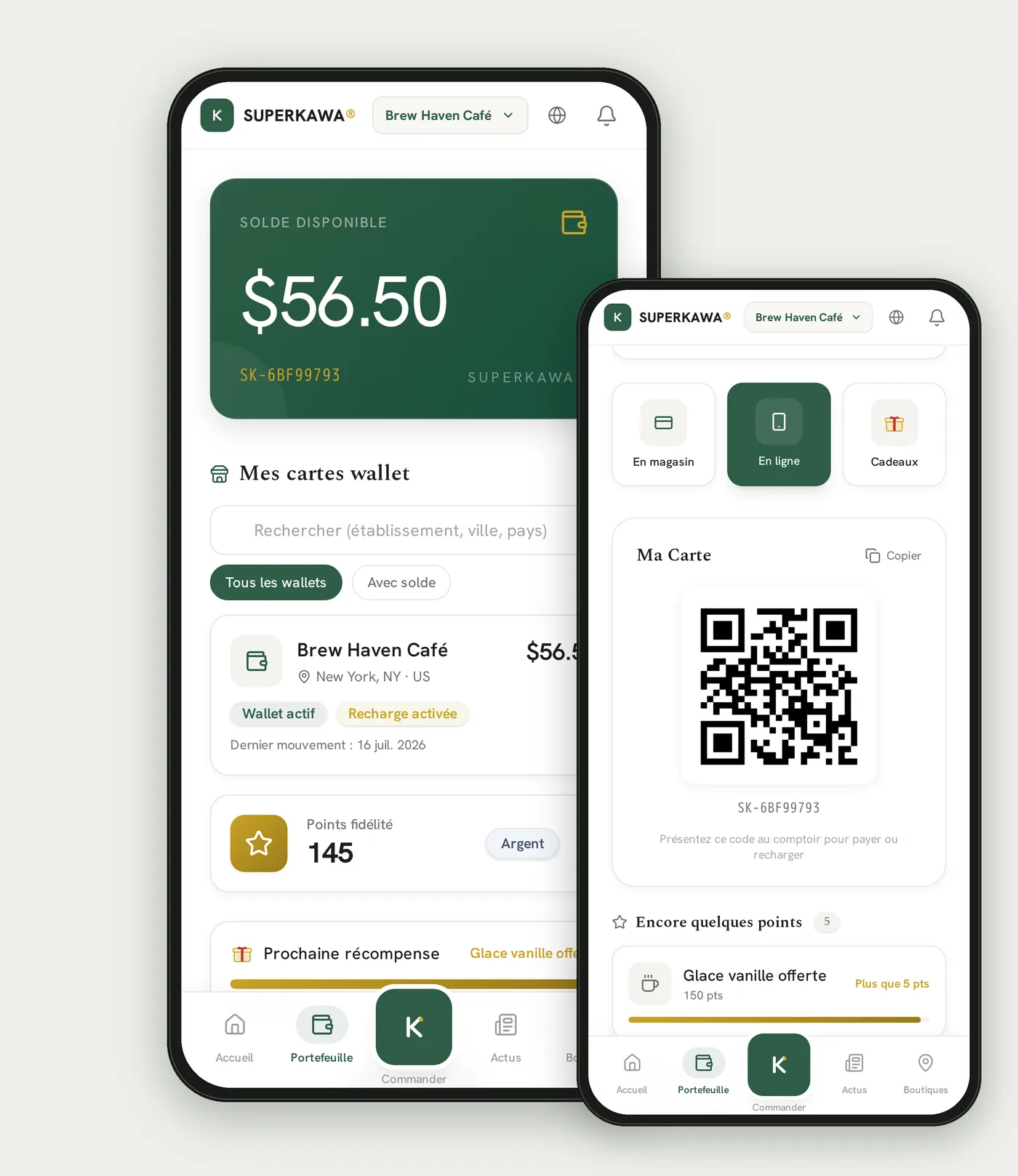
The digital menu lives inside the SUPERKAWA customer app experience. Customers open it after signing in with a free account — the same account that holds their loyalty points, wallet balance, and order history. No interaction required from staff beyond directing customers to the app.
Mobile-optimized interface
A digital menu designed for restaurant use is built for smartphone screens: fast to load, easy to scroll, organized by category, and readable without zooming. Photography is displayed at appropriate sizes. Descriptions are concise and legible. The hierarchy of the menu — categories, items, variants, add-ons — is navigable with one thumb.
Product photography
High-quality photography increases order value and customer confidence. A digital menu makes it practical for an independent operator to display photography for menu items without a printed redesign. Images can be added, replaced, or removed at any time from the management interface.
Multilingual platform
SUPERKAWA OS is a multilingual platform designed for international hospitality businesses, with support for multiple languages. It is built for international hospitality businesses operating across borders and serving diverse customer bases.
Item availability
A digital menu connected to the POS can surface current availability: items that are sold out or temporarily unavailable can be visually flagged or hidden, preventing the service friction of a customer ordering something the kitchen cannot produce.
Category organization
A well-structured digital menu organizes items into clear categories — hot beverages, cold beverages, food, pastries, specials — with intuitive navigation. Category tabs at the top of the interface allow customers to jump directly to the section they want without scrolling through the entire menu.
For Which Establishments?
A restaurant digital menu is relevant for any food service establishment that currently uses a printed menu. The benefit is proportionally greater for establishments that:
Update their menu frequently — seasonal specials, rotating items, price adjustments in response to ingredient costs. Every change that used to require a reprint now requires only a few seconds of editing.
Serve international customers — tourists, business travelers, or residents whose first language is not the local one. A dedicated menu version prepared in a second language serves these customers without a separate printed translation.
Want to cut printed material — a digital menu removes the need for laminated cards, table tents, and their recurring reprint cost.
Want to display photography — a digital menu makes food photography accessible to operators who cannot afford a printed redesign every season.
| Establishment type | Primary benefit |
|---|---|
| Independent restaurant | Instant updates, photo display, cost reduction |
| Coffee shop / café | Rotating specials, loyalty integration, photo display |
| Bakery | Daily availability updates, photo display |
| Tea house | Seasonal menu rotation, photo display |
| Fast food / quick service | Speed of update, sold-out flagging |
| Food truck | Single-page menu, instant price changes, no print runs |
| Dark kitchen | Delivery-linked menu management, photo display |
Accessing Your Menu Through the SUPERKAWA App
A digital menu is only as good as its distribution. What matters is not the format itself but where customers actually see it. A menu sitting on a page nobody opens delivers no value.
In SUPERKAWA OS, the digital menu lives inside the SUPERKAWA customer app experience. It is not a standalone public page — it is one screen among several (menu, loyalty, wallet, order history) that a customer reaches after signing in with a free account.
How it works
- The customer creates a free SUPERKAWA account (a one-time step)
- The digital menu opens inside the app, fully formatted for their screen
- The owner updates the menu content from the management interface whenever needed
- The update is live in the app the next time the customer opens the menu
What customers experience
A customer browsing the SUPERKAWA app menu gets a fast-loading, clearly organized menu they can browse at their own pace. They do not need to wait for a server to bring a menu, and they do not need to hold a card that dozens of other customers have touched. They can take their time with the descriptions and photos — and, because they are already signed in, any loyalty points or wallet balance are right there alongside the menu.
This shifts the dynamic of the first minutes at the table: the customer engages with the menu on their own device, and the server's first interaction can be with a customer who already knows what they want.
Note: SUPERKAWA also issues each customer a personal identification QR code, used by staff at checkout to apply loyalty points and wallet payments. This identification code is separate from the digital menu and is not required to view it.
Mobile-First: The Only Design That Matters
The smartphone is the screen on which your customers will read your digital menu. This is not a design preference — it is a demographic reality. As of 2025, mobile devices account for the majority of global web traffic, and the proportion is higher still for the use case — quick, in-the-moment access from an app already on their phone — that restaurant digital menus involve.
A digital menu that was not designed for a mobile screen is not a digital menu. It is a design problem.
Mobile-first menu design means:
- Readable without zooming. Text at a size appropriate for a handheld screen at arm's length.
- Scrollable with one thumb. Navigation does not require two-handed interaction.
- Fast to load. A menu that takes more than two seconds to appear on a standard mobile connection will lose customers before they see a single item.
- Category-first navigation. The top of the interface shows category tabs, not the full menu. A customer looking for beverages should not have to scroll past all the food items.
- Photography at the right size. Large enough to be enticing. Small enough not to dominate the screen or slow the load.
SUPERKAWA OS's customer-facing interface is built for mobile from the ground up. It is not a desktop interface adapted for small screens — it is designed specifically for the context in which customers will use it.
Real-Time Updates: No More Crossed-Out Prices
The most operationally significant feature of a digital menu is not the app it lives in or the photography. It is the ability to update the menu in seconds from any device, with the update live the next time a customer opens it.
Consider the scenarios that every restaurant operator encounters:
A supplier raises prices. You need to adjust three items. With a printed menu, you either absorb the margin difference until the next reprint, or you send a service message to your team. With a digital menu, you update the three prices in under a minute.
A daily special sells out at lunch. The menu still lists it for the evening service. With a printed menu, you rely on servers to communicate this to every table. With a digital menu, you flag the item as unavailable immediately.
A seasonal item is coming off the menu. You want to remove it cleanly, not leave it crossed out on a laminated card. With a digital menu, you archive it in seconds.
You are testing a new price point. You want to try a different price for a week and measure the effect on order volume. With a printed menu, this is a costly experiment. With a digital menu, it is a few keystrokes.
Real-time update capability does not just reduce costs. It gives the operator control over the customer experience at every service, not just at each reprint cycle.
Product Photos: The Silent Salesperson
Food photography in a restaurant menu is one of the highest-return investments in customer experience. Research consistently shows that menu items displayed with high-quality photography are ordered more frequently than items described in text alone.
For independent operators, the challenge has always been practical rather than aspirational. A printed redesign with photography requires a photoshoot, a graphic designer, a print run, and a replacement cycle — a process measured in weeks and hundreds of dollars. Most independent restaurants either skip photography entirely or use it sparingly.
A digital menu changes this calculus. Adding a photo to a menu item requires uploading an image. Replacing it requires uploading a new one. There is no designer, no printer, no lead time.
Guidelines for effective menu photography
- Shoot in natural light. A well-lit smartphone photo on a clean surface performs better than a poorly lit professional photo.
- Photograph the most visually appealing items first. You do not need photography for every item to gain impact — a few well-chosen images significantly lift the perception of the entire menu.
- Keep images consistent. A coherent visual style (same angle, same lighting, same background) creates a more professional impression than a mix of styles.
- Show the actual product, not a styled version. Customers who receive something significantly different from the photo feel misled. Accuracy builds trust.
A Multilingual Platform Built for International Hospitality
SUPERKAWA OS is a multilingual platform designed for international hospitality businesses, with support for multiple languages. It is designed for international hospitality businesses — from independent restaurants and cafés in Europe to coffee shops serving multicultural clienteles around the world.
The management and customer-facing interfaces adapt to each user's language preference. Menu content is managed by the restaurant operator in the language(s) of their choice.
For any hospitality business built for a global audience, having a multilingual platform available end-to-end — from operator dashboard to customer app — removes an entire layer of friction compared to running separate systems for separate languages.
The Digital Menu as a Customer Experience Tool
A restaurant digital menu is not only an operational tool. It is a point of contact between your establishment and your customer — one that happens before any order is placed, before any server arrives, and often before a customer has made up their mind.
The quality of that contact matters.
A menu that is slow to load, hard to read, or lacking in information creates friction at the moment when a customer is most open to discovery. A menu that is fast, clear, well-organized, and visually appealing creates confidence — in the food, in the establishment, and in the decision to order.
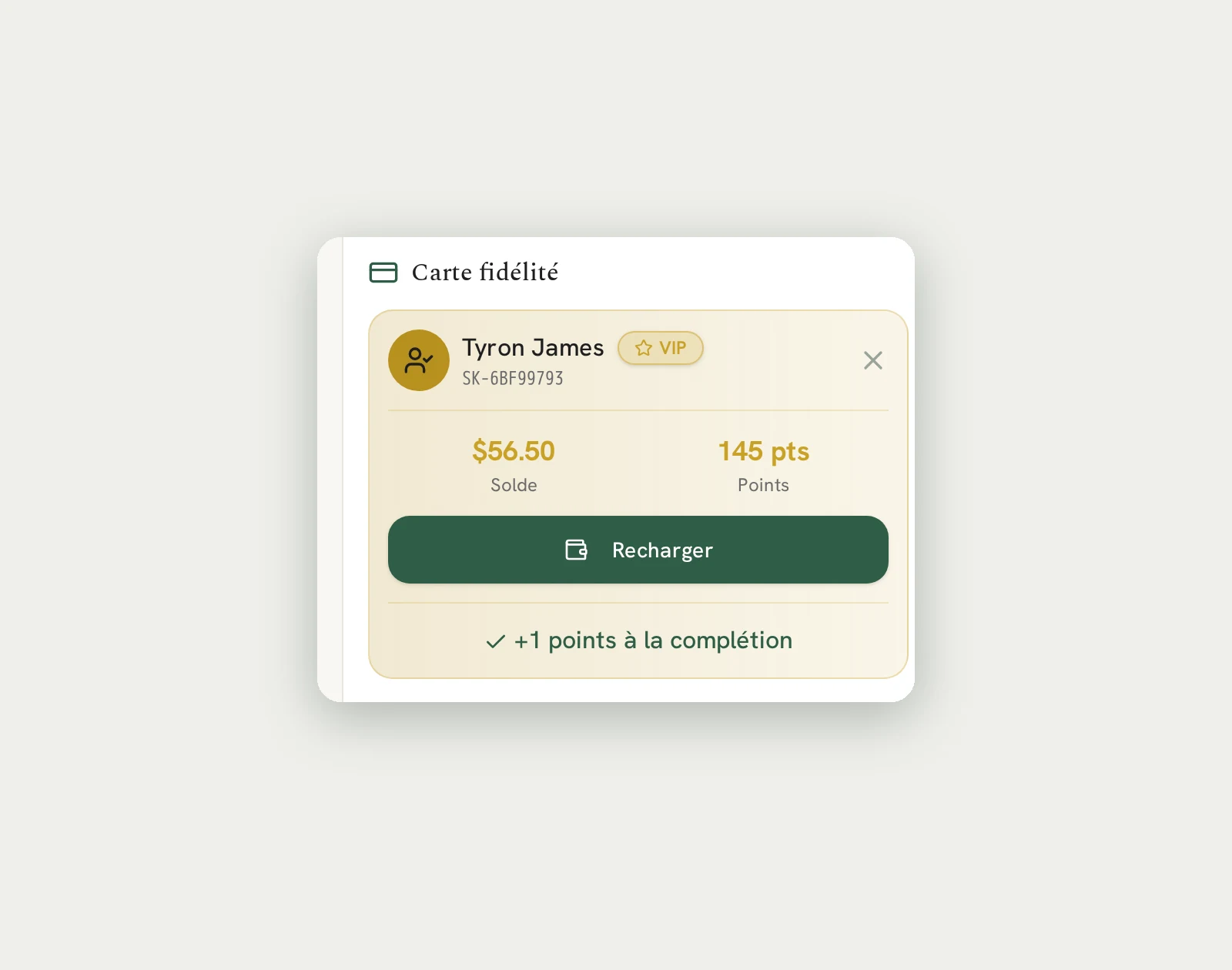
Beyond the menu itself, the digital interface is a connection point to the broader customer relationship. In SUPERKAWA OS, the same app that shows the menu also holds the customer's loyalty points, their wallet balance, their order history, and their QR identification code. The menu becomes the entry point to a relationship, not just a list of dishes.
The connection to loyalty and wallet
Because the digital menu lives inside the SUPERKAWA customer app, every customer viewing it is already signed in — creating an opportunity for the establishment to:
- Award loyalty points automatically on the transaction
- Apply wallet payments at checkout
- Personalize the experience based on visit history
- Build a customer profile that informs future interactions
This is the difference between a digital menu that replaces a paper card and a digital menu that is part of a connected customer relationship platform.
See also: Restaurant loyalty program — complete guide · QR code payment for restaurants
Why SUPERKAWA OS
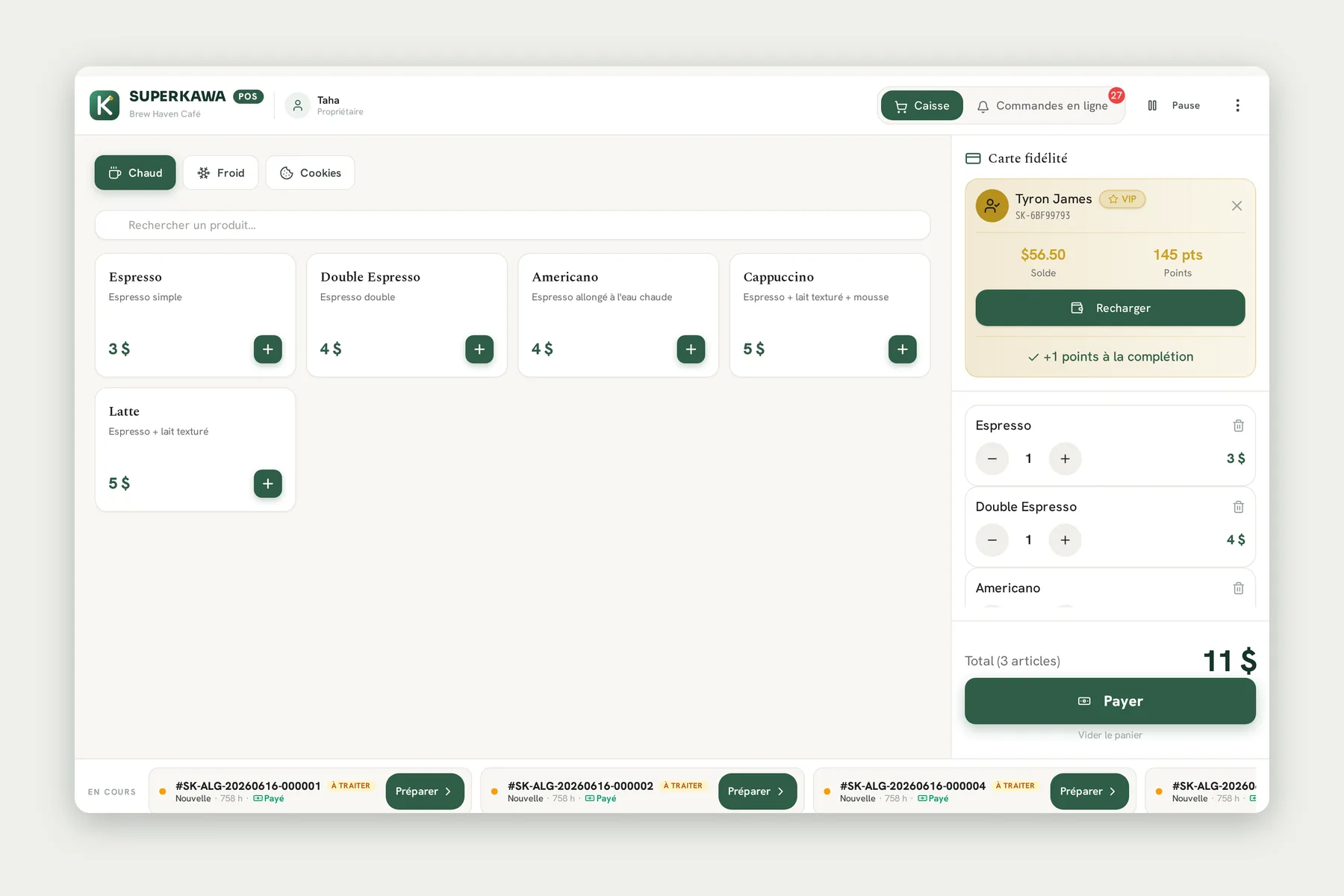
SUPERKAWA OS is a restaurant operating system designed specifically for independent restaurants, cafés, bakeries, tea houses, and fast-food establishments. The digital menu is one component of a connected platform that links the customer-facing menu to the point-of-sale, the loyalty program, the customer wallet, the analytics dashboard, and the kitchen workflow.
What SUPERKAWA OS offers for digital menus
Fast menu management. Update items, prices, photos, descriptions, and availability from any device. Changes are saved instantly and appear on the customer-facing interface the next time it is opened.
Mobile-first customer interface. The customer-facing menu is designed for smartphone use: fast, scrollable, organized by category, with photography at appropriate sizes.
Photo display. Upload images for any menu item. Add, replace, or remove photography at any time without a designer or a reprint.
Multilingual platform. SUPERKAWA OS is designed for international hospitality businesses, with support for multiple languages.
Item availability management. Flag items as temporarily unavailable. Changes appear on the customer-facing menu the next time it is opened.
Category organization. Organize items into categories with tab navigation for customers.
Loyalty integration. Customers who access the menu through the SUPERKAWA app are identified for loyalty point attribution and wallet payment.
Built for international hospitality. SUPERKAWA OS is designed for hospitality businesses operating across markets and currencies, with a multi-currency architecture that supports operators internationally.
Multi-location management. Manage the digital menus of multiple establishments from a single owner account.
What SUPERKAWA OS does not offer (at this time)
In the interest of accuracy, the following features are not currently available in SUPERKAWA OS and will not be attributed to the platform:
- Anonymous menu access without an account (viewing the menu currently requires signing in to the SUPERKAWA customer app)
- Per-item allergen tags or dietary labels (vegetarian, vegan, gluten-free)
- Live push updates to a menu screen already open on a customer device (updates apply on next open, not instantly on-screen)
- AI-powered menu recommendations
- Voice ordering
- Automated OCR for menu scanning
- Integrated online ordering for delivery (third-party delivery platform integration is not currently in scope)
Comparison table: Paper menu vs. Digital menu with SUPERKAWA OS
| Criterion | Paper menu | Digital menu — SUPERKAWA OS |
|---|---|---|
| Update speed | Days (reprint required) | Seconds (owner-side save) |
| Update cost | High reprinting cost per update | Included in subscription |
| Photography | Costly to add or change | Upload and change instantly |
| Multiple languages | Separate print run required | Multilingual platform interface, operator-prepared menu content |
| Sold-out items | Server announcement only | Visible flag on customer interface |
| Customer data | None | Connected to CRM and loyalty |
| Loyalty integration | None | Native, automatic |
| Customer access | Physical card only | SUPERKAWA customer app (account required) |
| Staff training required | Minimal | Minimal |
Conclusion
The restaurant menu has not fundamentally changed in decades. Paper, laminate, and a reprinting cycle measured in weeks — that is the infrastructure most independent operators are still working with today.
A restaurant digital menu is not a technological upgrade for its own sake. It is a practical answer to a set of real operational constraints: the cost and delay of reprinting, the inability to reflect current availability, the challenge of displaying photography, and the difficulty of serving guests from different linguistic backgrounds.
The SUPERKAWA customer app is the entry point. Fast menu updates are the operational core. Photography is the customer experience layer. The connection to loyalty, wallet, and analytics is the commercial layer.
SUPERKAWA OS brings all of these layers together in a single platform designed for independent operators — without complexity, without separate subscriptions for each feature, and without requiring technical expertise to manage.
If your current menu cannot be updated in under a minute, start there.
Frequently Asked Questions
A restaurant digital menu is a web-based or app-based interface that presents your menu content — items, descriptions, prices, and photos — to customers, in place of a printed card. Unlike a printed menu, a digital menu can be updated instantly from any device and display high-quality photography.
SUPERKAWA®
© 2025 Superkawa. All rights reserved.